IPTV player for iPhone and iPad

A native IPTV player that plays your playlist properly.

Use your own lawful M3U playlist or Xtream Codes account for Live TV, Movies, and Series with smoother playback, broad format support, and AirPlay.

  • Free, with Premium in‑app purchase
  • Requires iOS 17 or later
  • English, German, French, Italian, Spanish, Bosnian
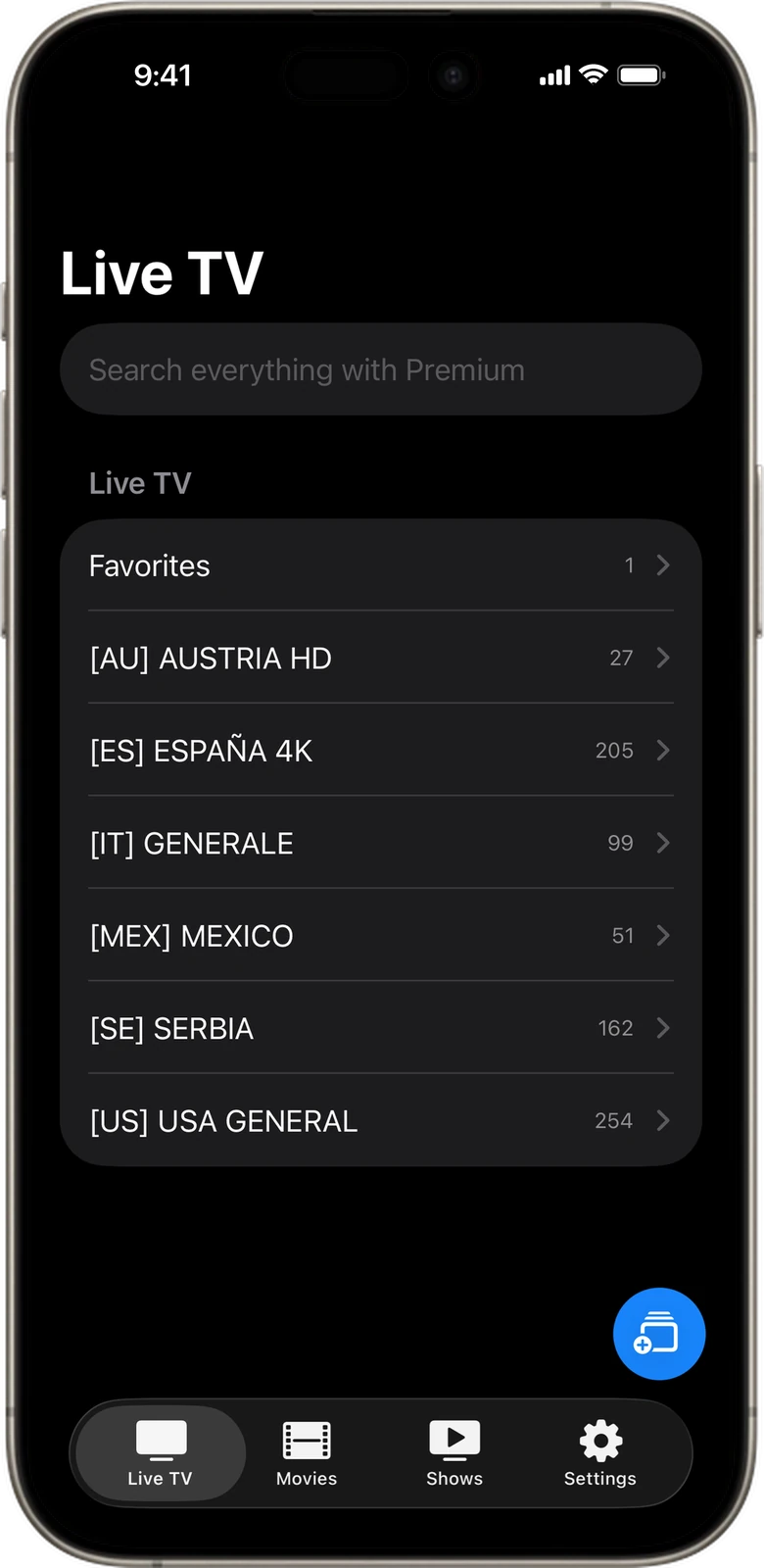
Zappio IPTV player on iPhone: Live TV tab listing channel categories such as Favorites, Austria HD and USA General from a connected Xtream Codes source
Live TV — categories from a connected Xtream source

Zappio is a player, not a provider.

The short version of the things people ask before downloading.

Does Zappio include IPTV channels?
No. Zappio does not provide channels, streams, subscriptions, playlists, or media content.
What can I connect?
Use compatible Xtream Codes credentials or M3U playlist URLs. Premium lets you save and switch between multiple Xtream accounts, multiple M3U playlists, or a mix of both.
Is Zappio free?
Yes. Zappio is free on the App Store with one source and a limited number of categories. Premium adds multiple sources, EPG, unlimited categories, Advanced Search, embedded subtitles and Continue Watching.
Which video formats does Zappio play?
Streams iOS plays natively, such as HLS and MP4, play directly. When native playback isn’t possible, Zappio prepares MKV, WebM, AVI, FLV, WMV, DivX, VOB and OGV on device.
Can I watch on my TV?
Yes, with AirPlay to an Apple TV or an AirPlay-compatible smart TV. AirPlay and Picture in Picture are included for all users.
Which devices are supported?
Zappio is a native app for iPhone and iPad and requires iOS or iPadOS 17 or later.
Does Zappio see what I watch?
No. Zappio does not send playlist or playback data to Zappio servers. The app only loads from the content provider you configure.

Everything a player should do. Nothing it shouldn’t.

Live TV

Watch live channels from your provider in real‑time. Browse by group, search by name, and switch instantly with no delay.

  • Favorites and per‑category browsing
  • Category selection to keep large playlists manageable
  • EPG (TV Guide) with Premium — what’s on now and what’s next
Zappio Live TV categories with channel counts, a Premium search field and the Live TV, Movies, Shows and Settings tabs

Connect with Xtream Codes or an M3U URL

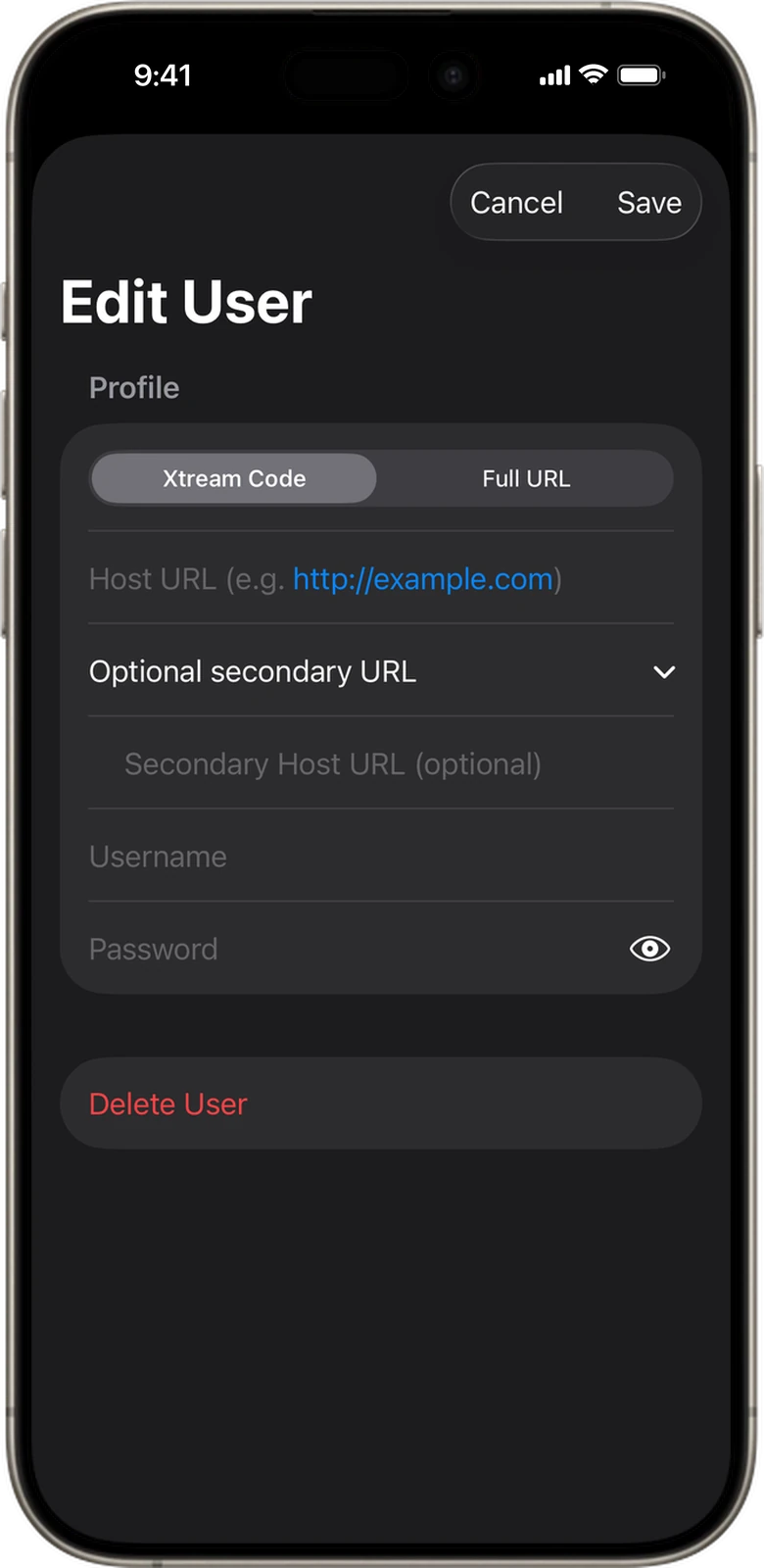
Connect instantly with your provider’s Xtream Codes credentials — host, username and password. Prefer a direct M3U playlist URL? Zappio supports full URL input so you can connect any compatible IPTV source.

  • View provider account status, expiry date, and active connections at a glance
  • Free keeps one source; Premium saves and switches between several
  • Refresh content on demand — the parser reports how many categories it found
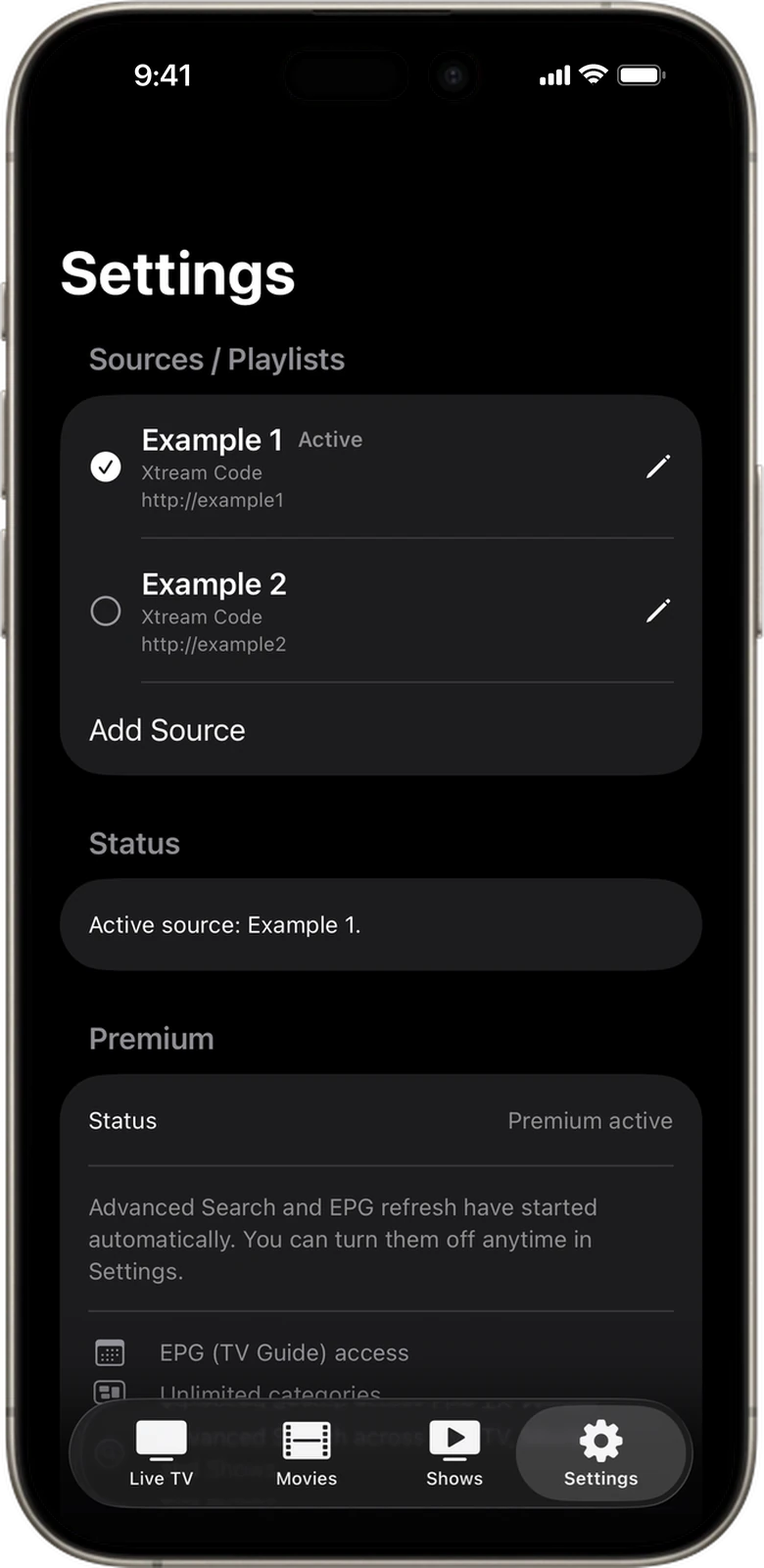
Zappio Sources / Playlists settings with two saved Xtream Codes accounts, one marked Active, and an Add Source button Zappio form for adding an IPTV source: switch between Xtream Code and Full URL (M3U), then enter host URL, username and password

Advanced Search Premium

Search across Live TV, Movies, and Series from one place. Results are grouped by the category they were found in, including categories you haven’t enabled.

  • Builds a local search index on your device — nothing is sent anywhere
  • Faster than searching the provider, at the cost of some storage
  • Turn it off in Settings any time to remove the index
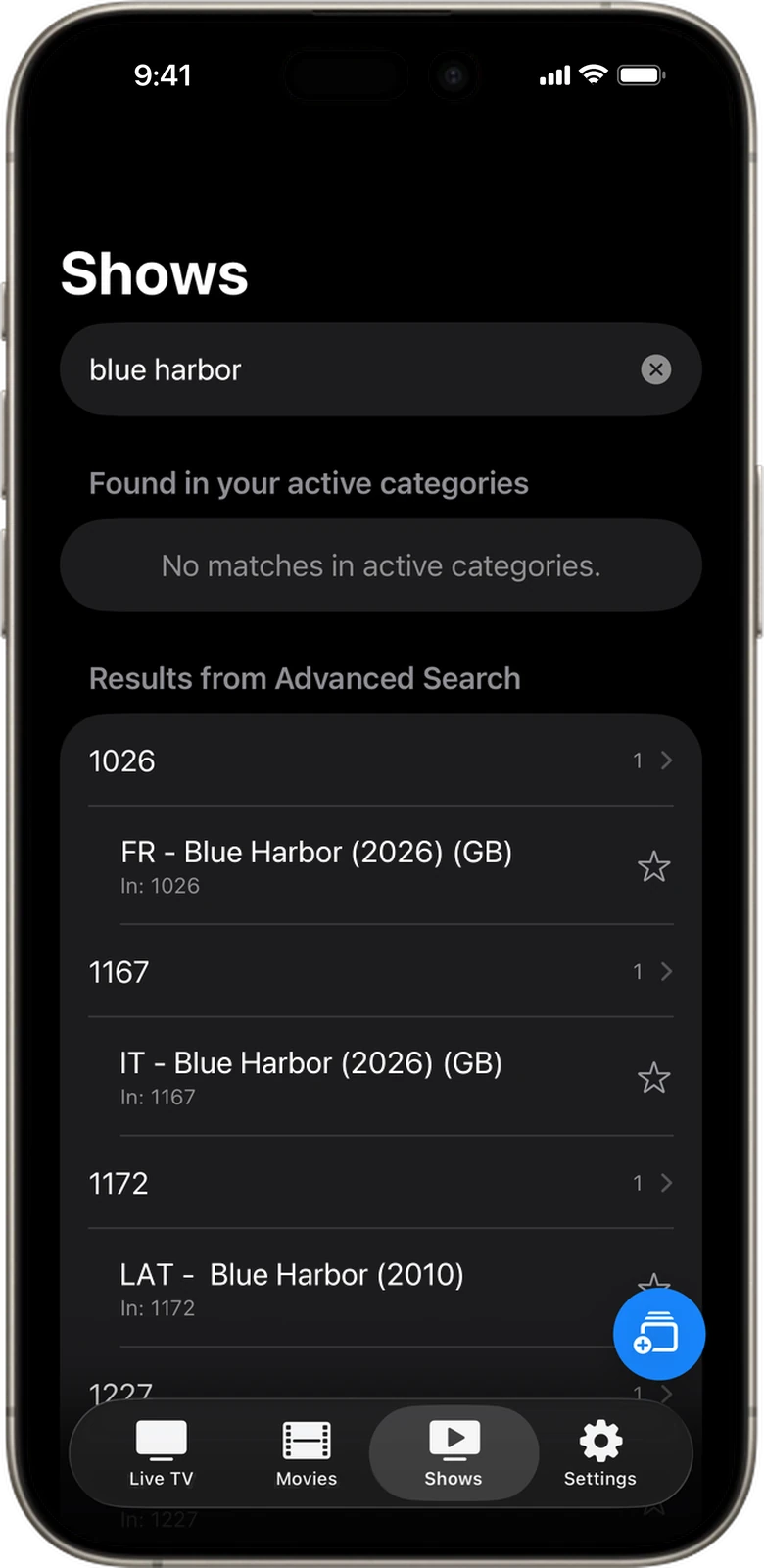
Zappio Advanced Search in the Shows tab: searching for a series lists matches grouped by provider category

TV Guide, formats and the boring settings

See what’s on now and what’s coming up next with a full electronic programme guide for all your live channels. The guide refreshes itself every 12 hours, or whenever you ask it to.

  • When native iOS playback is unavailable, Zappio can prepare additional containers such as MKV, WebM, AVI, FLV, WMV, DivX, VOB, and OGV on device
  • App language switchable in Settings — six languages
  • Uses FFmpeg for format preparation; the license disclaimer is in the app
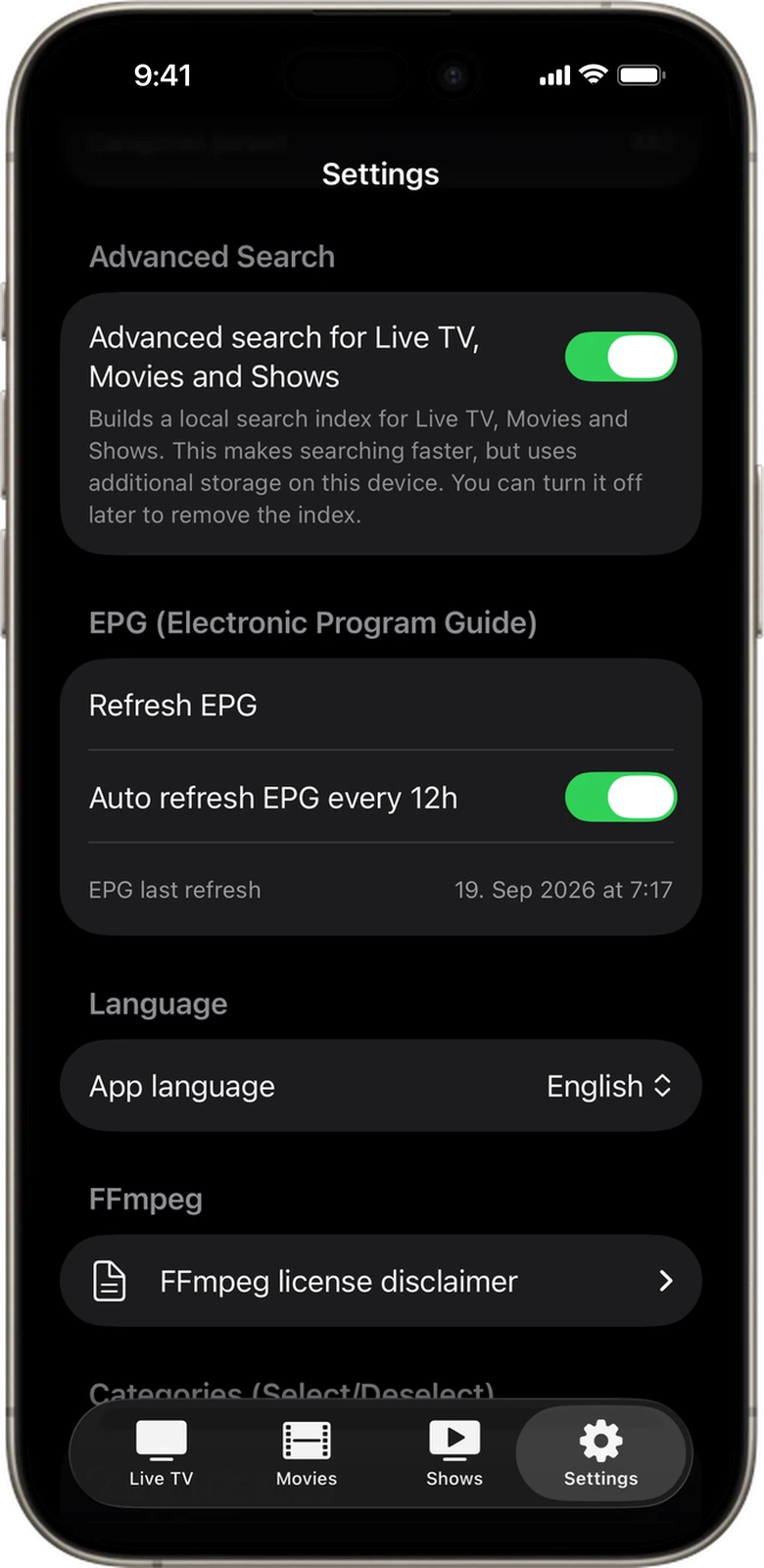
Zappio Settings with the Advanced Search index toggle, EPG TV guide refresh with 12-hour auto refresh, app language and the FFmpeg license

Also in the player

Movies (VOD)
Access your provider’s full Video‑On‑Demand library. Browse, search, and stream movies whenever you want.
Series
Navigate seasons and episodes with ease. A clean, native interface makes binge‑watching feel effortless.
AirPlay
Stream to AirPlay‑compatible devices with improved startup, iPhone handoff, saved‑position playback, seeking, and receiver buffering.
Picture in Picture
Keep watching while using other apps with a floating PiP window.
Continue Watching Premium
Resume movies and episodes where you stopped, see progress on covers, or start again from the beginning.
Embedded Subtitles Premium
Discover and select compatible text‑based subtitle tracks embedded in your movies and episodes.
Prepared Seeking
Jump to a new position in supported on‑demand streams with media prepared before playback moves, reducing failed seeks, visible reloads, and unwanted time jumps.
Fast and Resilient
Fast navigation, clearer loading feedback, controlled reconnects, and quick reopening of recently closed playback.
Native to iOS
Written in Swift. Dark mode, clean typography, and a layout that feels right at home on iPhone and iPad.

Free does the playing. Premium does the remembering.

Zappio Premium unlocks multiple sources, EPG, unlimited categories, advanced search, selectable embedded subtitles, and playback progress. AirPlay and Picture in Picture are included for all users.

What you getFreePremium
Live TV, Movies and Series playbackIncludedIncluded
Xtream Codes and M3U / full URL supportIncludedIncluded
AirPlay and Picture in PictureIncludedIncluded
Broader format compatibility, prepared seekingIncludedIncluded
Saved sources / playlistsOneMultiple — any mix of Xtream and M3U
Enabled categoriesCappedUnlimited
EPG — TV Guide—Included
Advanced Search across Live TV, Movies and Series—Included
Embedded subtitle selection—Included
Playback progress and Continue Watching—Included
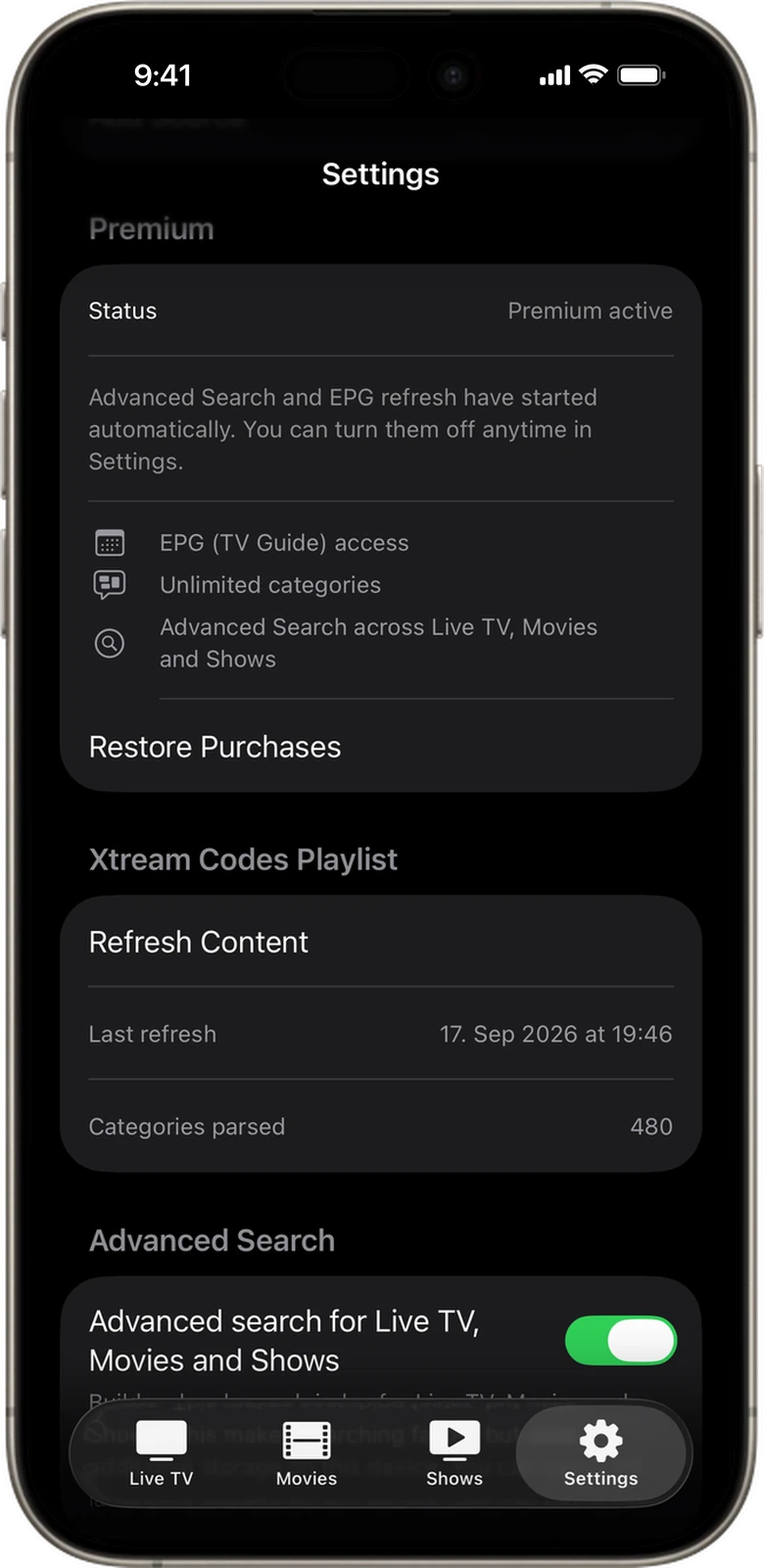
Zappio Premium status in Settings listing EPG (TV Guide) access, unlimited categories and Advanced Search, with Restore Purchases
Premium status and Restore Purchases live in Settings

Premium is sold as an auto‑renewing weekly or monthly subscription, or as a one‑time “Premium Forever” purchase, through the App Store. Prices are shown in the app for your region. If Premium lapses, extra sources are removed and your active source is kept.

Get Zappio for iPhone and iPad.

Free on the App Store. Add your own lawful playlist or provider account and you’re watching in under a minute.

Download on theApp Store